
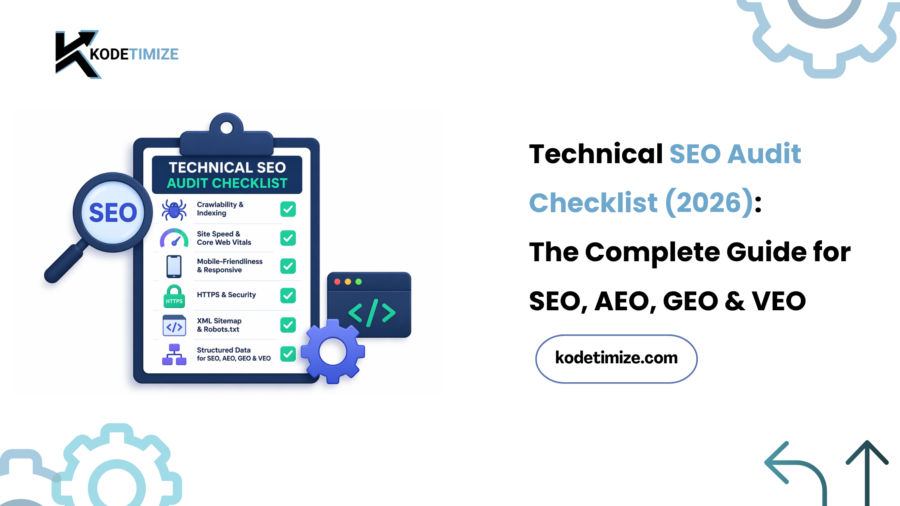
You could have the best content on the internet. You could have backlinks from every major publication. But if your technical foundation is broken, none of it matters — Google, ChatGPT, Gemini, and Perplexity simply won’t serve your pages to users.
A technical SEO audit in 2026 is no longer just about fixing crawl errors. It is about engineering a website that is simultaneously readable by Google’s traditional crawlers, extractable by AI answer engines, synthesizable by LLMs, and audible to voice assistants.
This is the most comprehensive technical SEO audit checklist you’ll find for 2026 — built after analyzing the top-ranking guides, identifying their content gaps, and adding what they miss: AEO, GEO, VEO, and the latest Google rendering updates.
Here is exactly what this guide covers:
- ✅ Crawlability & Indexability Audit
- ✅ Site Architecture & URL Structure
- ✅ Core Web Vitals (LCP, INP, CLS) — 2026 benchmarks
- ✅ Mobile-First & Rendering Audit
- ✅ Structured Data & Schema Markup
- ✅ Security & HTTPS
- ✅ Duplicate Content & Canonicalization
- ✅ JavaScript SEO & Log File Analysis
- ✅ Internal Linking & Crawl Budget
- ✅ AEO (Answer Engine Optimization) Checklist
- ✅ GEO (Generative Engine Optimization) Checklist
- ✅ VEO (Voice Engine Optimization) Checklist
- ✅ AI Search Readiness Audit
- ✅ Tools You Need
- ✅ Audit Frequency Schedule
What Is a Technical SEO Audit?
A technical SEO audit is a structured, comprehensive examination of your website’s technical infrastructure. Its purpose is to identify any element that prevents search engines — and increasingly, AI systems — from crawling, rendering, understanding, and indexing your content.
Think of it as a full-body health scan for your website. It doesn’t look at your writing style or your backlink count. It looks at the pipes, the wiring, and the foundation — the invisible layer that determines whether your content gets seen at all.
In 2026, a proper technical audit covers three layers:
- SEO Layer — Can Google find, crawl, and rank your pages?
- AEO/GEO Layer — Can AI systems extract, cite, and summarize your content?
- VEO Layer — Can voice assistants deliver your answers to spoken queries?
Skip any layer and you’re leaving visibility on the table.
Why Technical SEO Audits Matter More in 2026 Than Ever Before
Search changed fundamentally in 2025–2026. Here’s what’s different now:
Google’s December 2025 Rendering Update clarified that pages returning non-200 HTTP status codes (404s, 5xx errors) may be excluded from the rendering pipeline entirely. If your JavaScript-heavy site serves “friendly” error pages with a 200 OK status, Googlebot may never discover the real issue — and your pages won’t get rendered.
INP replaced FID as a Core Web Vital in March 2024, and in 2026, INP is now a decisive ranking signal. Many sites that haven’t updated their auditing process are still checking FID — and flying blind.
AI Overviews now appear in over 40% of Google search results. ChatGPT, Perplexity, and Gemini drive millions of referral visits monthly. If your content isn’t structured for AI citation, you’re invisible in the fastest-growing discovery channel.
The March 2026 Core Update hit sites hardest in two areas: thin E-E-A-T signals and poor AEO/GEO readiness. Traditional technical SEO scores alone didn’t predict recovery — AI-readiness did.
The bottom line: technical SEO is no longer the foundation beneath your strategy. It is your strategy.
Part 1: Crawlability & Indexability Audit
✅ 1. Check Your robots.txt File
Your robots.txt file controls which pages search engines can access. Misconfiguration here can accidentally block your entire site.
What to check:
- Open yoursite.com/robots.txt in your browser
- Confirm that key pages, CSS files, and JavaScript resources are NOT blocked
- Ensure you haven’t used robots.txt as an indexing strategy — use
noindextags for that instead (Google explicitly does not support thenoindexdirective inside robots.txt) - Check that crawlers you want to allow (Googlebot, Bingbot, GPTBot, Claude-Web, PerplexityBot) are not disallowed
Pro tip for 2026: If you want to appear in AI-generated answers powered by Gemini, ensure you haven’t blocked Googlebot-Extended. Also consider whether you want to allow GPTBot and PerplexityBot — blocking them removes you from those AI platforms entirely.
Tool: Google Search Console → Settings → robots.txt Tester
✅ 2. Audit Your XML Sitemap
Your sitemap is the roadmap you hand directly to search engines. A stale or incorrect sitemap wastes crawl budget.
What to check:
- Does your sitemap exist at yoursite.com/sitemap.xml?
- Is it submitted in Google Search Console and Bing Webmaster Tools?
- Does it include only indexable URLs (no noindex pages, no blocked pages)?
- Are
lastmodtimestamps accurate and only updated when meaningful content changes occur? - For large sites, is it split into logical sub-sitemaps (posts, pages, products)?
Tool: Google Search Console → Sitemaps Report
✅ 3. Review the GSC Index Coverage Report
Google Search Console’s Index Coverage report is your ground truth for indexing health.
What to check:
- Pages marked as “Excluded” — understand why each one is excluded
- Pages with “Crawl anomalies” or “Server errors”
- Pages marked as “Discovered — currently not indexed” — these are pages Google found but hasn’t prioritized. This usually signals thin content or crawl budget issues.
- Pages where “noindex” is applied but shouldn’t be
Priority fix: Any page that should be indexed but shows as “Excluded” or “Crawl anomaly” is a direct ranking blocker. Fix these first.
✅ 4. Check for Orphan Pages
Orphan pages have no internal links pointing to them. Search engines discover them either through the sitemap or not at all — and they receive zero link equity.
What to check:
- Export all indexed URLs from Google Search Console
- Run a Screaming Frog crawl and compare crawled URLs against the GSC export
- Any URL in GSC that Screaming Frog didn’t find via crawl = orphan page
Fix: Add contextual internal links to orphan pages from your highest-authority pages, or remove them if they serve no purpose.
✅ 5. Verify Canonical Tags
Canonical tags tell search engines which version of a page is the “master” version. Wrong or missing canonicals create duplicate content chaos.
What to check:
- Every page has a self-referencing canonical tag
- Paginated pages use correct canonicals (do NOT canonical page 2 to page 1 — this hides content)
- HTTPS and HTTP versions canonicalize correctly to HTTPS
- www and non-www versions are unified
- Parameter-based URLs (e.g., ?sort=price) canonical to the clean URL
Tool: Screaming Frog → Canonicals Tab
Part 2: Site Architecture & URL Structure
✅ 6. Audit URL Structure
URLs are a ranking signal and a usability signal. In 2026, clean, descriptive URLs are also easier for AI systems to parse.
What to check:
- URLs are short, descriptive, and keyword-rich
- No underscores (use hyphens)
- No unnecessary parameters, session IDs, or dynamic strings
- URL depth: key pages should be reachable within 3 clicks from the homepage
- No duplicate URLs with different capitalization (Google treats these as different pages)
Good example: yoursite.com/technical-seo-audit-checklist/ Bad example: yoursite.com/p=1234?cat=seo&sort=new
✅ 7. Fix Redirect Issues
Redirect chains and redirect loops drain crawl budget and dilute link equity.
What to check:
- Eliminate redirect chains (A → B → C). Make A → C directly.
- Ensure redirects preserve intent: a category page should redirect to a category page, not the homepage
- Use 301 for permanent redirects; 302 for temporary
- Fix all 404 errors on pages that have received backlinks — redirect them with 301s
Tool: Screaming Frog → Response Codes → 3xx + 4xx filter
✅ 8. Internal Linking Audit
Internal linking distributes authority, guides crawlers, and signals topical relevance to AI systems.
What to check:
- Every important page receives internal links from at least 3–5 relevant pages
- Anchor text is descriptive and keyword-rich (not “click here”)
- No broken internal links (404s)
- Pages with the most internal links match your revenue-generating or highest-priority content
- No excessive pagination dependence — navigation and category discovery should not rely on JavaScript scroll events
Pro tip for 2026: Internal linking is one of the strongest GEO signals. AI systems follow link structure to understand your content hierarchy. Pages with strong internal link clusters are more likely to be cited as authoritative sources in AI-generated answers.
Part 3: Core Web Vitals (2026 Benchmarks)
Core Web Vitals are a confirmed Google ranking signal. In 2026, these three metrics define your site’s performance health:
✅ 9. LCP — Largest Contentful Paint (Target: Under 2.5 seconds)
LCP measures how quickly the largest visible element (usually a hero image or H1) loads on screen.
What to check:
- Run Google PageSpeed Insights on your homepage, top landing pages, and product/category pages
- Is your hero image served in WebP or AVIF format?
- Is lazy loading not applied to above-the-fold images? (Lazy loading above-the-fold images delays LCP)
- Is server response time (TTFB) under 600ms?
- Have you set
fetchpriority="high"on your LCP image? - Are you using a CDN to serve images close to the user?
✅ 10. INP — Interaction to Next Paint (Target: Under 200ms)
INP replaced FID in March 2024 and is the primary responsiveness metric in 2026. Many auditing guides and tools still show FID — this is outdated. Check INP.
INP measures how quickly the page responds after a user interacts (click, tap, keypress).
What to check:
- Use Chrome DevTools → Performance panel → Look for long tasks on the main thread
- Audit and defer non-critical third-party scripts (chat widgets, analytics, ad scripts)
- Reduce JavaScript execution time
- Break up long tasks into smaller async chunks
- Avoid forced synchronous layouts
Tool: PageSpeed Insights (Field Data section) + Chrome UX Report
✅ 11. CLS — Cumulative Layout Shift (Target: Under 0.1)
CLS measures how much your page “jumps around” as it loads. Poor CLS frustrates users and signals poor UX to Google.
What to check:
- All images and video embeds have explicit
widthandheightattributes defined in HTML - No dynamically injected ads or banners that push content down
- Web fonts use
font-display: swapto prevent FOIT (Flash of Invisible Text) - No late-loading popups or banners that appear above existing content
Part 4: Mobile-First & Rendering Audit
✅ 12. Mobile-First Indexing Check
Google has indexed the web mobile-first for years — yet many developers still audit with desktop user agents. This is a critical mistake in 2026.
What to check:
- Validate all high-value crawls using the Googlebot Smartphone user agent in Screaming Frog
- Verify with Google Search Console’s Mobile Usability report
- Ensure no content is hidden on mobile that exists on desktop (Google only sees the mobile version)
- Tap targets are at least 48px × 48px
- Text is readable without zooming (minimum 16px font size)
Tool: Google Search Console → Mobile Usability Report + Google’s Mobile-Friendly Test
✅ 13. JavaScript SEO & Rendering Audit
JavaScript-heavy sites (React, Vue, Next.js, Angular) introduce SEO risks that purely HTML sites don’t face.
What to check:
- Critical content (main body text, H1, internal links) is present in the initial HTML response — not loaded after hydration
- Check by disabling JavaScript in Chrome DevTools and viewing the page source: does the important content appear?
- Avoid the “Invisible 500 Error” — when a server error is caught by the client framework and served as a 200 OK. Googlebot will see a thin page and may de-index it.
- Single Page Applications (SPAs): ensure your server returns true 404 status codes for missing pages — not a 200 OK shell that renders an error component via JavaScript
- Ensure pagination and category navigation is crawlable via static HTML links, not JavaScript scroll events
2026 rule: Your most important content must exist in the initial HTML or SSR output — especially article bodies, product descriptions, navigation menus, and price information.
Part 5: Structured Data & Schema Markup
✅ 14. Implement and Validate Schema Markup
Schema markup helps search engines understand your content precisely — and it is one of the most direct ways to improve AI citation likelihood.
Priority schema types by site type:
| Site Type | Must-Have Schema |
|---|---|
| Blog / Publisher | Article, BreadcrumbList, Author, FAQPage |
| E-commerce | Product, Offer, Review, BreadcrumbList |
| Local Business | LocalBusiness, OpeningHours, GeoCoordinates |
| SaaS / Service | Organization, Service, FAQPage, HowTo |
| Recipe / Food | Recipe, NutritionInformation |
What to check:
- Validate all schema using Google’s Rich Results Test and Schema.org Validator
- No schema errors or warnings in Google Search Console → Enhancements
- Author schema includes
sameAslinks to social profiles (strengthens E-E-A-T signals) - Organization schema includes
sameAslinks to Wikipedia, Wikidata, LinkedIn (strengthens entity clarity for AI systems) - FAQPage schema matches the exact FAQ content visible on the page
- Product schema includes
price,availability, andreviewproperties
Tool: Google Rich Results Test (search.google.com/test/rich-results)
✅ 15. Implement HowTo & FAQ Schema for AEO
FAQ and HowTo schema are the most powerful AEO signals you can add to a page. They directly format your content for AI answer extraction.
What to check:
- Every key informational page has FAQPage schema with 4–8 questions covering common user queries
- Questions match exactly what users search for (use Google’s “People Also Ask” for inspiration)
- Answers are complete, direct, and under 300 words each — AI systems prefer concise, standalone answers
- HowTo schema is used for any process, checklist, or step-by-step content
Part 6: Security & HTTPS
✅ 16. HTTPS Audit
HTTPS is a baseline ranking signal. Any HTTPS misconfiguration is a trust killer with both search engines and users.
What to check:
- All pages load over HTTPS — no HTTP pages
- SSL certificate is valid and not expired (check via SSL Labs: ssllabs.com/ssltest/)
- No mixed content errors (HTTP resources loading on HTTPS pages)
- HSTS (HTTP Strict Transport Security) header is implemented
- HTTP → HTTPS redirects are in place for every URL
Tool: SSL Labs + Chrome DevTools → Security Tab
✅ 17. Security Headers Audit
Security headers are increasingly treated as trust signals by both Google and AI systems evaluating page credibility.
What to check:
X-Content-Type-Options: nosniffis setX-Frame-Options: SAMEORIGINis set (prevents clickjacking)Content-Security-Policyis configuredReferrer-Policyis set
Tool: securityheaders.com
Part 7: Duplicate Content & Canonicalization
✅ 18. Identify & Fix Duplicate Content
Duplicate content dilutes ranking signals and confuses search engines about which version to rank.
Common duplicate content sources:
- WWW vs. non-WWW versions
- HTTP vs. HTTPS versions
- Trailing slash vs. no trailing slash (yoursite.com/page/ vs. yoursite.com/page)
- URL parameters (session IDs, tracking parameters)
- Printer-friendly page versions
- Paginated pages
What to check:
- Pick one canonical URL format and redirect all variations to it
- Use canonical tags on all product/category pages with filter parameters
- Implement
?ref=,?utm_source=and other tracking parameters in Google Search Console as “URL Parameters” to prevent indexing
Tool: Screaming Frog → Duplicates Tab
✅ 19. Content Pruning
Not all pages deserve to be indexed. Thin, outdated, or low-traffic pages dilute your site’s overall authority signal.
What to check:
- Export all indexed URLs and cross-reference with Google Analytics
- Pages with zero organic sessions in the past 12 months are candidates for pruning
- Options: improve the content, merge with a related page (301 redirect), or apply
noindex - Thin tag pages, date archive pages, and empty category pages should be noindexed by default
Part 8: Log File Analysis
✅ 20. Analyze Server Log Files
Server logs reveal exactly how Googlebot interacts with your site — information Google Search Console delays or omits.
What to check:
- Which pages does Googlebot crawl most frequently?
- Are there pages being crawled that waste crawl budget (thin pages, parameter URLs, staging URLs)?
- Are your most important pages being crawled at the frequency you expect?
- Are any 500 errors appearing that GSC hasn’t flagged yet?
Tool: Screaming Frog Log File Analyser, Splunk, or custom log parsing with Python
2026 note: Log file analysis is particularly important for JavaScript-heavy sites and large e-commerce platforms where GSC data is often delayed or incomplete.
Part 9: AEO — Answer Engine Optimization Checklist
Answer Engine Optimization (AEO) is the practice of structuring your content so it can be cleanly surfaced by AI-driven answer interfaces — including Google AI Overviews, featured snippets, and conversational AI platforms.
✅ 21. Write Direct Answer Openings (BLUF Method)
The BLUF method (Bottom Line Up Front) means your most important answer appears in the first 1–2 sentences of each section.
Example: ❌ “In this section, we will discuss what a technical SEO audit is and why it matters for your website in 2026…” ✅ “A technical SEO audit is a structured examination of your website’s infrastructure to identify issues preventing search engines from crawling, rendering, and indexing your content.”
AI systems are trained to extract direct, standalone answers. Content that buries the answer is content that gets skipped.
✅ 22. Use Question-Based H2 and H3 Headers
Structure your headers as the exact questions your audience asks. AI systems use heading hierarchy as answer extraction signals.
Good examples:
- “What Is a Technical SEO Audit?”
- “How Often Should I Run a Technical SEO Audit?”
- “What Are Core Web Vitals in 2026?”
✅ 23. Add FAQPage Schema to Every Key Post
As covered in the schema section — FAQPage schema is the most direct AEO signal you can implement. Every informational blog post should include 5–10 questions directly answering common user queries about the topic.
✅ 24. Use Tables and Comparison Blocks
AI systems — and featured snippets — heavily favor tabular data. For any comparison, checklist, or metric-based content:
- Use HTML
<table>elements with clear column headers - Use definition lists for glossary-style content
- Use numbered lists for step-by-step processes
✅ 25. Build Topic Clusters for AEO Authority
AI answer engines don’t just evaluate individual pages — they evaluate your site’s topical depth. A site with 30 interlinked, authoritative posts on technical SEO will be cited more reliably than a single post, even if that single post is excellent.
What to do:
- Map your content into pillar pages (broad topics) and cluster pages (specific subtopics)
- Ensure all cluster pages link back to the pillar and to each other
- Maintain content freshness — update dates, statistics, and examples at least quarterly
Part 10: GEO — Generative Engine Optimization Checklist
Generative Engine Optimization (GEO) is about making your content easy for Large Language Models (LLMs) to ingest, retrieve, and cite. Most commercial AI engines use RAG (Retrieval Augmented Generation) — they pull “chunks” of text from your content and assemble answers.
✅ 26. Make Your Content Chunkable
Content buried in long, dense paragraphs doesn’t get retrieved by RAG systems efficiently. Structure your content so every section is a self-contained, extractable answer.
Rules for chunkable content:
- Use H2/H3 headers to divide content into clear, labeled sections
- Keep paragraphs under 4 sentences
- Each section should make sense if read in isolation (no “as mentioned above” references)
- Use bullet points and numbered lists for itemized information
✅ 27. Implement Entity Clarity
LLMs understand the world through named entities (people, places, brands, concepts). If your content is entity-ambiguous, AI systems may misattribute your information or skip it.
What to do:
- Name your brand, authors, and expertise areas clearly on every key page
- Use
sameAsin your Organization and Person schema to link your entities to social profiles, Wikipedia, and Wikidata - Use structured data consistently so AI systems can build an accurate entity model of your site
- Mention your brand name and core specialization within the first 100 words of key posts
✅ 28. Build Your Off-Site GEO Presence
LLMs don’t only pull from your website. They pull from Reddit, YouTube, Wikipedia, and high-authority publications.
GEO actions beyond your site:
- Create and maintain a Wikipedia page (if eligible)
- Build a Wikidata entry for your brand
- Participate actively in Reddit communities where your audience asks questions
- Publish guest posts on high-authority industry sites
- Ensure YouTube videos are transcribed and optimized for your target topics
- Get cited in news articles, research papers, and government sites
✅ 29. Maintain Content Freshness Signals
AI platforms prefer recently updated sources. Fresh content is more likely to be retrieved and cited.
What to do:
- Update your top-performing posts at least quarterly with new data, examples, and statistics
- Update the
dateModifiedin your schema when meaningful content changes occur (not just minor edits) - Add a visible “Last Updated” date at the top of every post
- Update statistics and tool recommendations as they change
Also read about How to Set Up and Optimize Google Business Profile in India
✅ 30. Earn E-E-A-T Signals for GEO Citation
AI systems preferentially cite content from sources they assess as expert, experienced, authoritative, and trustworthy.
What to check:
- Author bio pages exist and include verifiable credentials, experience, and
sameAsschema - Every post has a clearly identified author
- References and citations link to primary sources (studies, Google documentation, official guidelines)
- Your site displays clear About, Contact, and Privacy Policy pages
- You have third-party citations in press coverage, industry directories, and professional profiles
Part 11: VEO — Voice Engine Optimization Checklist
Voice Engine Optimization ensures your content is structured for delivery through voice interfaces — Google Assistant, Siri, Alexa, and AI voice search.
✅ 31. Target Conversational, Long-Tail Keywords
Voice queries are longer and more conversational than typed queries.
Examples:
- Typed: “technical SEO audit checklist”
- Voice: “What should I check in a technical SEO audit in 2026?”
What to do:
- Identify question-format keywords using tools like AnswerThePublic and Google’s People Also Ask
- Create content that mirrors how people speak — complete sentences, natural phrasing
- Target featured snippets, as these are the primary source for voice answers
✅ 32. Structure Content for Featured Snippet Capture
Featured snippets are the #1 source for voice answers in Google Assistant and smart home devices.
What to check:
- Definitions appear in a clear paragraph format (40–60 words) immediately after the H2
- Step-by-step processes use numbered lists
- “Best of” and comparison content uses tables or bulleted lists
- Your page already ranks on page one for the target query (you can’t snippet from page two)
✅ 33. Implement Local Business Schema for Local Voice Queries
“Near me” voice searches depend heavily on structured local data.
What to check:
- Google Business Profile is fully completed and verified
- LocalBusiness schema includes name, address, phone, opening hours, and geographic coordinates
- NAP (Name, Address, Phone) is consistent across all directories and your website
Part 12: AI Search Readiness Audit
✅ 34. Test Your AI Citation Presence
Before you can improve your AI visibility, you need to know where you currently stand.
What to do:
- Open ChatGPT, Perplexity, and Google AI Overviews
- Query: “What is [your specialty/topic]?” and “Best [your service] in [your industry]?”
- Note which brands and sources are cited — are you there? Are your competitors?
- Document this as your GEO baseline and track monthly
✅ 35. Allow AI Crawlers (Strategic Decision)
Several AI platforms have their own crawlers. Decide deliberately whether to allow or block them.
| Crawler | Platform | User Agent |
|---|---|---|
| GPTBot | ChatGPT / OpenAI | GPTBot |
| Claude-Web | Anthropic Claude | ClaudeBot |
| PerplexityBot | Perplexity | PerplexityBot |
| GoogleBot-Extended | Google Gemini / Vertex AI | Google-Extended |
| Applebot | Apple Intelligence / Siri | Applebot |
Recommendation: Unless you have a specific reason to block these crawlers, allow them. Blocking them removes you from AI-generated answers on those platforms.
Read more about Ultimate Guide to SEO for Small Businesses in India (2026)
✅ 36. Implement llms.txt (Emerging Standard)
The llms.txt file is an emerging standard (analogous to robots.txt) designed to communicate directly with LLMs about your site’s content structure and preferences.
What to do:
- Create a
/llms.txtfile at your root domain - List your key pages, their purpose, and any restrictions
- This is not yet a confirmed Google signal but is increasingly recognized by AI platforms
Part 13: Tools You Need for a Technical SEO Audit in 2026
| Tool | Purpose | Cost |
|---|---|---|
| Google Search Console | Indexing, coverage, Core Web Vitals, manual actions | Free |
| Bing Webmaster Tools | Secondary index health + IndexNow | Free |
| Google PageSpeed Insights | CWV measurement (LCP, INP, CLS) | Free |
| Screaming Frog SEO Spider | Full site crawl, redirects, canonicals, duplicates | Free (up to 500 URLs) / Paid |
| Ahrefs or Semrush | Backlinks, keyword tracking, site audit | Paid |
| Google Rich Results Test | Schema validation | Free |
| SSL Labs | SSL certificate audit | Free |
| Screaming Frog Log Analyser | Log file analysis | Paid |
| Sitebulb | Visual crawl + audit reporting | Paid |
| Chrome DevTools | JavaScript rendering, performance debugging | Free |
Part 14: Technical SEO Audit Frequency Schedule
| Audit Area | Frequency |
|---|---|
| Full technical SEO audit | Quarterly |
| Core Web Vitals check | Monthly |
| GSC Index Coverage review | Monthly |
| 404 and broken link check | Monthly |
| AI citation presence check | Monthly |
| Schema validation | After any site update |
| Log file analysis | Monthly (enterprise sites) |
| Full content audit | Every 6 months |
| Competitor GEO/AEO gap analysis | Quarterly |
| Immediate audit triggers | After migrations, redesigns, CMS changes |
The Technical SEO Audit Priority Order
When you’re starting an audit from scratch, sequence matters. Here is the correct priority order:
Priority 1 — Visibility Foundation (Fix First) Robots.txt, XML sitemap, noindex errors, HTTPS. If search engines can’t access your site, nothing else matters.
Priority 2 — Indexing Health Index coverage, canonical tags, duplicate content, 4xx errors. Fix what’s blocking pages from appearing in search results.
Priority 3 — Core Web Vitals LCP, INP, CLS. Performance directly impacts both rankings and user experience.
Priority 4 — Structured Data Schema markup, FAQPage, HowTo, Organization, Author. This bridges traditional SEO and AI readiness.
Priority 5 — AEO/GEO/VEO Layer Content structure, entity clarity, AI crawler access, llms.txt, featured snippet optimization. This is where you capture the AI search opportunity most competitors are ignoring.
Frequently Asked Questions
What is a technical SEO audit?
A technical SEO audit is a structured examination of your website’s technical infrastructure to find and fix issues that prevent search engines — and AI platforms — from crawling, rendering, and indexing your content. It covers crawlability, site speed, schema markup, mobile usability, URL structure, and more.
How often should I run a technical SEO audit?
Run a full technical SEO audit quarterly. E-commerce sites and high-volume content publishers should audit monthly. Always run an immediate audit after major changes: site migrations, CMS updates, redesigns, or platform changes.
What are Core Web Vitals in 2026?
In 2026, the three Core Web Vitals are LCP (Largest Contentful Paint, target: under 2.5 seconds), INP (Interaction to Next Paint, target: under 200ms — INP replaced FID in March 2024), and CLS (Cumulative Layout Shift, target: under 0.1).
What is the difference between AEO, GEO, and VEO?
AEO (Answer Engine Optimization) structures content for AI-driven answer interfaces like Google AI Overviews and featured snippets. GEO (Generative Engine Optimization) optimizes content to be cited and referenced by LLMs such as ChatGPT, Gemini, and Perplexity. VEO (Voice Engine Optimization) ensures content is structured for delivery through voice interfaces like Google Assistant, Siri, and Alexa.
What tools do I need for a technical SEO audit in 2026?
The essential toolkit: Google Search Console (free), Google PageSpeed Insights (free), Screaming Frog SEO Spider, Ahrefs or Semrush, Google Rich Results Test (free), SSL Labs (free), and Chrome DevTools (free).
What is the most common technical SEO issue found in audits?
The most common issues are crawlability and indexing problems (pages accidentally blocked by robots.txt or noindex tags) and Core Web Vitals failures — particularly LCP and INP. Missing or invalid structured data is the third most common issue, and increasingly the most impactful for AI visibility.
Conclusion: Technical SEO in 2026 Is About Building AI-Ready Infrastructure
The sites that win in 2026 are not the ones with the most content or the most backlinks. They are the ones with the cleanest infrastructure — websites that search engines can crawl without friction, that AI systems can parse and cite with confidence, and that users find fast, useful, and trustworthy on any device.
This technical SEO audit checklist gives you the complete framework: from fixing the robots.txt and Core Web Vitals that form your ranking foundation, to implementing the schema, entity clarity, and content structure that make you visible in ChatGPT, Google AI Overviews, and voice search.
Use this checklist, audit quarterly, and fix in priority order. The compounding effect of a technically sound site — one where every page loads fast, every crawler finds what it needs, and every AI system can extract and cite your answers — is one of the most durable competitive advantages available in search today.
Are you looking for the Best and Affordable SEO services for your start up or for your personal brand? Kodetimize can help you achieve your ranking goals and ultimately to get more leads, clients/customers for your business. Contact us.